
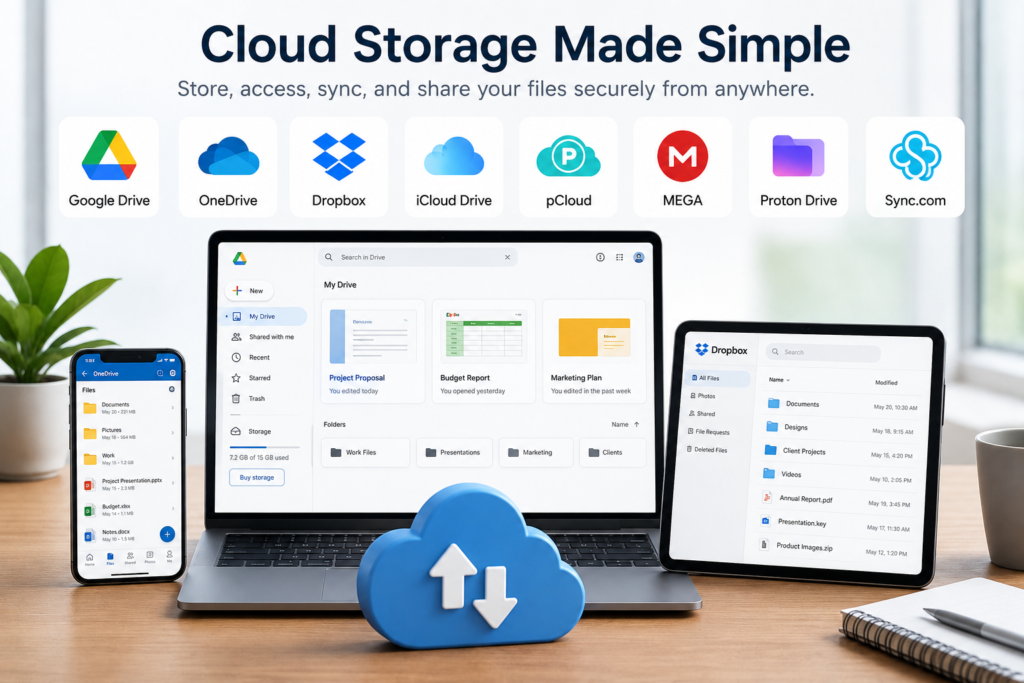
Cloud storage has become an essential part of both personal and professional life. Whether you’re backing up family photos, collaborating on business documents, sharing large files with clients, or accessing work across multiple devices, a reliable cloud storage service makes managing data significantly easier.
Today’s cloud storage platforms offer much more than online file storage. Many include automatic backups, file version history, real-time collaboration, ransomware protection, end-to-end encryption, and integrations with popular productivity suites such as Microsoft 365 and Google Workspace. Choosing the right provider can improve productivity while ensuring your files remain secure and accessible wherever you work.
This guide compares the best cloud storage services for Windows and Mac users in 2026. We’ve evaluated each platform based on storage options, ease of use, security, collaboration features, pricing, and overall value for individuals and small businesses.
Quick Comparison
| Cloud Storage | Best For | Windows | Mac | Free Plan |
|---|---|---|---|---|
| Google Drive | Google Workspace users | ✅ | ✅ | 15 GB |
| Microsoft OneDrive | Microsoft 365 users | ✅ | ✅ | 5 GB |
| Dropbox | File sharing & collaboration | ✅ | ✅ | 2 GB |
| iCloud Drive | Apple ecosystem | Limited | ✅ | 5 GB |
| Proton Drive | Privacy & security | ✅ | ✅ | Yes |
| Sync.com | Secure file sharing | ✅ | ✅ | Limited |
| pCloud | Lifetime plans | ✅ | ✅ | Up to 10 GB |
| MEGA | Large free storage | ✅ | ✅ | Yes |
How We Selected These Cloud Storage Services
Not every cloud storage platform is built for the same type of user. Some focus on seamless collaboration for office teams, while others prioritize privacy, file synchronization, or affordable long-term storage. Rather than simply comparing storage capacity, we evaluated how well each service performs in everyday use.
Our assessment considered file synchronization speed, cross-platform compatibility, sharing options, collaboration tools, security features, backup capabilities, storage plans, and ease of managing files across multiple devices. We also looked at how well each service integrates with software that many businesses and individuals already use, such as Microsoft Office, Google Workspace, and Apple devices.
Security was another important factor. Features such as multi-factor authentication, ransomware recovery, file version history, and encryption have become increasingly important as more organizations rely on cloud-based document management. The U.S. Cybersecurity and Infrastructure Security Agency (CISA) recommends using multi-factor authentication and secure cloud services as part of a strong cybersecurity strategy.
Likewise, the National Institute of Standards and Technology (NIST) emphasizes protecting sensitive data through appropriate access controls, encryption, and identity management when using cloud services.
1. Google Drive — Best for Google Workspace Users
Google Drive remains one of the most widely used cloud storage platforms because it combines reliable file storage with powerful collaboration tools. Files stored in Google Drive can be accessed from Windows, macOS, smartphones, tablets, and any modern web browser, making it easy to continue working regardless of the device being used.
Businesses frequently choose Google Drive because of its seamless integration with Google Workspace. Teams can collaborate on documents, spreadsheets, and presentations simultaneously without sending multiple file versions back and forth through email. Automatic saving, version history, and permission controls simplify teamwork while reducing the risk of accidental data loss.
If you’re considering Google Drive, think about how much of your work already happens within Google’s ecosystem. Organizations using Gmail, Google Docs, Sheets, Meet, and Calendar will benefit the most from its tight integration. Users who primarily rely on Microsoft Office may find OneDrive provides a more familiar experience.
If you regularly create and share PDF documents, choosing the right cloud storage service becomes even more valuable when paired with one of the best PDF editors for Windows and Mac.
Highlights
• Excellent collaboration features
• Deep Google Workspace integration
• Available on Windows, macOS, Android, iPhone, and the web
Best for: Students, remote teams, educators, and businesses already using Google Workspace.
2. Microsoft OneDrive — Best for Microsoft 365 Users
Microsoft OneDrive is built for users who spend much of their day working with Word, Excel, PowerPoint, Outlook, and other Microsoft 365 applications. Files are automatically synchronized across devices, allowing users to begin work on one computer and continue from another without manually transferring documents.
Many businesses rely on OneDrive because it integrates naturally with Windows and Microsoft 365. Teams can securely share files, collaborate on Office documents in real time, and recover previous versions when changes need to be reversed. Features such as ransomware detection, Personal Vault, and automatic backup further strengthen its appeal for both home users and professional organizations.
Before selecting OneDrive, consider whether Microsoft 365 is already part of your workflow. Users invested in Microsoft’s ecosystem generally receive the greatest value because storage, collaboration, and productivity tools work together without requiring additional software.
If you’re building a more efficient digital workspace, you may also find our guide to the best AI productivity apps for Windows and Mac helpful for automating everyday work alongside cloud storage.
Keeping your computer optimized is equally important when synchronizing large files. Our article on disabling unnecessary startup programs in Windows explains how reducing background applications can improve overall system responsiveness.
Highlights
• Excellent Microsoft 365 integration
• Automatic backup and file synchronization
• Strong security and ransomware protection
Best for: Windows users, Microsoft 365 subscribers, and businesses that rely on Microsoft Office.
3. Dropbox — Best for File Sharing and Team Collaboration
Dropbox helped popularize cloud storage and continues to be one of the strongest choices for businesses that regularly share files with clients, partners, and remote teams. In addition to storing documents securely in the cloud, Dropbox makes it easy to synchronize files across devices, recover previous versions, and collaborate without relying on email attachments.
Many organizations continue to use Dropbox because of its simple sharing experience. Employees can send secure links instead of large email attachments, set permissions for specific users, and collaborate on documents from virtually anywhere. It also integrates with popular productivity tools such as Microsoft 365, Google Workspace, Slack, Zoom, and Adobe Acrobat, making it suitable for businesses that rely on multiple software platforms.
Before choosing Dropbox, consider how your team collaborates. Businesses that frequently exchange large files with external clients or contractors often benefit from Dropbox’s sharing capabilities. However, organizations already committed to Google Workspace or Microsoft 365 may find deeper integration with Google Drive or OneDrive more convenient.
Highlights
• Excellent file sharing and collaboration
• Reliable synchronization across multiple devices
• Integrates with many business applications
Best for: Businesses, agencies, creative professionals, and remote teams.
4. iCloud Drive — Best for Apple Users
iCloud Drive is Apple’s cloud storage platform, designed to keep files synchronized across Macs, iPhones, and iPads. Documents saved to iCloud Drive automatically become available on every connected Apple device, making it easy to continue working whether you’re at your desk or on the move.
Many individuals and small businesses choose iCloud Drive because it works seamlessly within Apple’s ecosystem. Files, photos, desktop folders, and application data remain synchronized with minimal setup, allowing users to focus on their work rather than managing backups or manually transferring files. Features such as Family Sharing and iCloud+ also provide additional value for households and small teams invested in Apple devices.
Before selecting iCloud Drive, consider whether your organization uses mostly Apple hardware. While Windows access is available, the platform delivers its best experience when your workflow revolves around Macs, iPhones, and iPads. Mixed-device environments may benefit from a more platform-independent cloud storage service.
Highlights
• Deep integration with macOS and iOS
• Automatic synchronization across Apple devices
• Simple backup and file management
Best for: Apple users, creative professionals, and small businesses using Mac computers.
5. Proton Drive — Best for Privacy and Security
Proton Drive is built for users who prioritize privacy without giving up the convenience of cloud storage. Developed by the team behind Proton Mail, the service uses end-to-end encryption to help ensure that files remain accessible only to the account owner and authorized collaborators.
Businesses handling confidential information increasingly choose Proton Drive because security is integrated into the platform rather than offered as an optional feature. Law firms, consultants, healthcare professionals, journalists, and organizations managing sensitive documents appreciate the added protection provided by encrypted file storage and secure sharing.
If privacy is your highest priority, Proton Drive is one of the strongest options available. However, users whose primary focus is real-time collaboration or tight integration with office productivity suites may find Google Drive or OneDrive better suited to their workflow.
Highlights
• End-to-end encrypted cloud storage
• Strong focus on privacy and security
• Available across multiple platforms
Best for: Privacy-conscious individuals, consultants, legal professionals, and businesses handling sensitive information.
6. Sync.com — Best for Secure Business File Sharing
Sync.com combines cloud storage with strong security features, making it a popular choice for businesses that regularly exchange confidential documents. The platform offers end-to-end encryption, secure file sharing, version history, and remote access while maintaining a straightforward interface that’s easy for non-technical users.
Many organizations adopt Sync.com because it provides secure collaboration without sacrificing usability. Teams can share files through password-protected links, control download permissions, and recover previous versions when documents are updated. These capabilities make it especially useful for accountants, consultants, legal professionals, and businesses that need to protect sensitive client information.
Before choosing Sync.com, consider whether security is more important than deep integration with productivity software. Businesses focused on document protection and compliance will appreciate its privacy-first approach, while teams that depend heavily on Microsoft 365 or Google Workspace collaboration may prefer platforms designed around those ecosystems.
Highlights
• End-to-end encrypted file sharing
• Secure collaboration tools
• Strong version history and recovery features
Best for: Businesses handling confidential documents and client information.
7. pCloud — Best for Long-Term Value
pCloud stands out from many cloud storage providers by offering both traditional subscription plans and lifetime storage options. Instead of paying a recurring monthly or annual fee, users can make a one-time purchase for long-term storage, making it an attractive choice for individuals and small businesses looking to reduce ongoing software expenses.
Many users choose pCloud because it balances ease of use with flexible storage options. Files automatically synchronize across Windows, macOS, Linux, Android, and iOS devices, while built-in file versioning and sharing tools make collaboration straightforward. Businesses can organize projects, share documents with clients, and access files from virtually anywhere without being tied to a single operating system.
If you’re considering pCloud, think about your long-term storage needs. Users planning to keep large collections of photos, videos, project files, or business documents for many years may find a lifetime plan more cost-effective than recurring subscriptions. However, businesses that rely heavily on Microsoft 365 or Google Workspace collaboration may benefit more from OneDrive or Google Drive.
Highlights
• Optional lifetime storage plans
• Supports Windows, macOS, Linux, Android, and iOS
• Reliable synchronization and file sharing
Best for: Individuals, freelancers, photographers, and businesses looking for long-term value.
8. MEGA — Best for Generous Free Storage
MEGA has built a strong reputation by offering one of the more generous free cloud storage options while maintaining a strong focus on privacy. Along with file synchronization and sharing, the platform includes encrypted storage, secure collaboration features, and support for large file transfers across multiple devices.
Many individuals and small businesses use MEGA because it provides enough free storage to manage documents, photos, and project files without immediately upgrading to a paid plan. Teams can share folders, collaborate securely, and access files from desktop and mobile devices while benefiting from built-in encryption.
Before choosing MEGA, consider how much collaboration your business requires. While it performs well for secure file storage and sharing, organizations deeply invested in Microsoft 365 or Google Workspace may find tighter productivity integrations elsewhere. For users primarily concerned with generous storage and privacy, however, MEGA remains an excellent option.
Highlights
• Generous free storage allowance
• Built-in encryption and secure sharing
• Available on all major desktop and mobile platforms
Best for: Individuals, students, freelancers, and privacy-conscious users looking for generous free storage.
How to Choose the Right Cloud Storage Service
Choosing the best cloud storage service depends on more than simply comparing storage capacity. The right platform should complement the way you work, integrate with the software you already use, and provide the level of security your files require.
Start by considering your existing workflow. If your organization relies on Google Workspace, Google Drive provides one of the most seamless collaboration experiences. Businesses using Microsoft 365 will generally benefit from OneDrive’s close integration with Word, Excel, PowerPoint, and Outlook. Apple users working primarily on Macs and iPhones may find iCloud Drive the most convenient option, while organizations handling confidential information should pay closer attention to providers such as Proton Drive or Sync.com.
Security should also be a priority. Features such as multi-factor authentication, encryption, ransomware protection, and file version history can make a significant difference if an account is compromised or files are accidentally deleted. Before committing to any service, review its security features, storage limits, sharing controls, and backup options to ensure they match your long-term needs.
Finally, think about future growth rather than your current requirements. As businesses accumulate more documents, photos, videos, and project files, migrating to a different cloud platform becomes increasingly difficult. Choosing a service that can scale alongside your personal or business needs can save both time and money in the future.
Frequently Asked Questions
Which cloud storage service is best overall?
There is no single solution that’s best for everyone. Google Drive is an excellent choice for Google Workspace users, while Microsoft OneDrive is ideal for businesses already using Microsoft 365. Dropbox continues to excel at file sharing, and Proton Drive is one of the strongest options for users who prioritize privacy.
What is the safest cloud storage service?
Several providers offer strong security, but Proton Drive and Sync.com are widely recognized for their focus on end-to-end encryption and protecting user privacy. Regardless of the provider, enabling multi-factor authentication is one of the most effective ways to improve account security.
Is free cloud storage enough?
Free plans are often sufficient for personal documents and occasional file sharing. However, businesses and professionals working with large files, frequent backups, or collaborative projects typically benefit from upgrading to a paid plan with more storage and additional features.
Which cloud storage works best with Microsoft Office?
Microsoft OneDrive offers the deepest integration with Microsoft 365, allowing users to collaborate on Word, Excel, and PowerPoint documents while automatically synchronizing changes across devices.
Which cloud storage is best for Mac users?
iCloud Drive provides the most seamless experience for users who primarily work within Apple’s ecosystem. It automatically synchronizes files across Macs, iPhones, and iPads while integrating directly with macOS.
Can I switch from one cloud storage provider to another?
Yes. Most cloud storage services allow you to download your files and upload them to another provider. Some third-party migration tools can also simplify the process, particularly when transferring large amounts of data.
Is cloud storage a replacement for backups?
Not always. While many cloud storage services include version history and file recovery features, following the 3-2-1 backup strategy—keeping multiple copies of important data in different locations—provides better protection against accidental deletion, ransomware, or hardware failure.
Final Thoughts
Cloud storage has evolved far beyond a convenient place to save files. Today’s platforms help individuals and businesses collaborate more effectively, protect valuable information, and access documents from virtually anywhere. The best choice depends on how you work rather than simply how much storage a provider offers.
Google Drive and Microsoft OneDrive remain excellent options for organizations already using Google Workspace or Microsoft 365, while Dropbox continues to be one of the strongest solutions for collaboration and file sharing. Privacy-focused users may prefer Proton Drive or Sync.com, and those looking for long-term value should consider pCloud’s lifetime storage plans. Meanwhile, MEGA offers one of the more generous free storage options for users who want to get started without an immediate financial commitment.
Before choosing a provider, evaluate your workflow, the devices you use, your collaboration requirements, and the level of security your data requires. Investing a little time in selecting the right cloud storage service today can help simplify file management and protect your most important information for years to come.
Did this solve your problem?
Your answer helps Supportia prioritize updates. No account or email is required.
Related guides
Best Password Managers for Individuals and Small Businesses in 2026
Passwords remain one of the most important—and frustrating—parts of online security. The average person now manages accounts across email, banking, shopping, cloud storage, social…
Reviewed 2026-08-23
Top 10 Cloud Storage Services for Multi-Device Syncing 2024
In today's digital world, cloud storage services are essential for seamlessly accessing and syncing files across multiple devices. Here are the top 10 cloud…
Reviewed 2026-08-24Employee IT Offboarding Checklist for Small Businesses
Protect accounts and business data when someone leaves by transferring ownership, revoking access and preserving required records through an authorised, documented process.
Reviewed 2026-09-30