
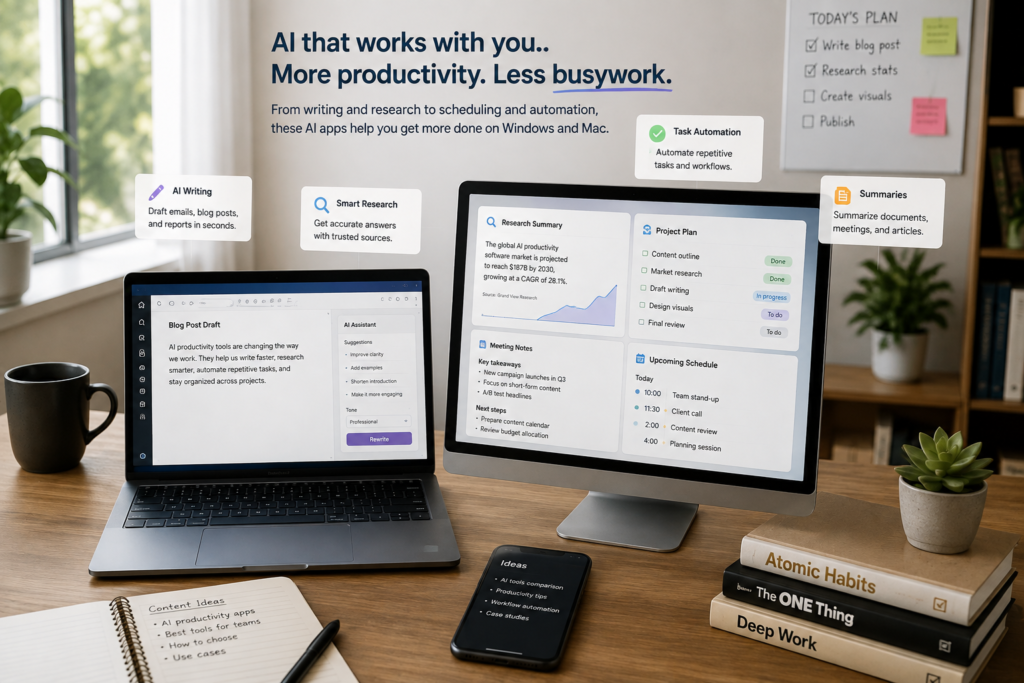
The challenge is no longer finding an AI app—it’s choosing the right one. Hundreds of tools promise to improve productivity, but each is designed for different workflows. Some excel at writing, others focus on research, while others integrate directly into your operating system or favorite productivity apps.
This guide compares the best AI productivity apps available for Windows and Mac in 2026. We’ve selected tools that provide genuine value for students, professionals, freelancers, creators, and small businesses rather than simply following the latest AI trends.
Quick Comparison
| AI App | Best For | Windows | Mac | Free Plan |
|---|---|---|---|---|
| ChatGPT | Everyday AI assistant | ✅ | ✅ | Yes |
| Claude | Writing & document analysis | ✅ | ✅ | Yes |
| Microsoft Copilot | Windows productivity | ✅ | Web | Yes |
| Gemini | Google Workspace | ✅ | ✅ | Yes |
| Notion AI | Notes & project management | ✅ | ✅ | Limited |
| Grammarly | Writing improvement | ✅ | ✅ | Yes |
| Perplexity | Research & fact-finding | ✅ | ✅ | Yes |
| Raycast AI | macOS productivity | ❌ | ✅ | Yes |
| Cursor | AI coding | ✅ | ✅ | Yes |
| Motion | AI scheduling | ✅ | ✅ | Trial |
| Otter.ai | Meeting transcription | ✅ | ✅ | Yes |
| Canva Magic Studio | AI content creation | ✅ | ✅ | Yes |
How We Chose These AI Productivity Apps
Rather than selecting the newest AI products on the market, we focused on applications that consistently improve day-to-day productivity. Each tool was evaluated based on several practical factors.
Ease of use. AI should simplify work rather than introduce a steep learning curve. The best apps deliver useful results with minimal setup and intuitive interfaces.
Cross-platform availability. Since many users switch between Windows and Mac—or collaborate across both platforms—we prioritized applications that support both operating systems whenever possible.
Real productivity benefits. We looked beyond flashy AI features and focused on apps that genuinely save time. This includes drafting content, summarizing documents, organizing information, automating repetitive tasks, improving communication, and helping users find accurate information more efficiently.
Integration with existing workflows. Productivity tools become more valuable when they work alongside software people already use, such as Microsoft 365, Google Workspace, Slack, Notion, and popular web browsers.
Value for money. Most people don’t need expensive enterprise software. We included tools with generous free plans or pricing that makes sense for individuals and small teams.
1. ChatGPT — Best Overall AI Productivity App
ChatGPT has become the AI productivity tool many people open first when starting their workday. Rather than focusing on a single task, it acts as a general-purpose assistant that can help draft emails, summarize reports, generate ideas, explain technical concepts, analyze files, write code, and automate repetitive work.
One reason businesses continue adopting ChatGPT is its flexibility. Marketing teams use it to brainstorm campaigns and create content drafts, customer support teams prepare knowledge base articles and response templates, while developers use it to troubleshoot code or generate documentation. Because it adapts to different types of work, organizations often deploy it across multiple departments instead of purchasing separate AI applications for each team.
If you’re considering ChatGPT, think about how it will fit into your existing workflow rather than replacing every tool you already use. It performs best as an assistant that speeds up research, writing, planning, and problem-solving while people continue making the final decisions. Organizations handling confidential information should also establish clear AI usage policies and review privacy settings before uploading sensitive files.
Highlights
• Works well across writing, research, coding, analysis, and creative tasks
• Available on Windows, macOS, web, and mobile devices
• Suitable for individuals as well as larger teams
Best for: Users who want a versatile AI assistant capable of supporting a wide range of everyday work.
2. Claude — Best for Writing and Document Analysis
Claude has become a popular choice among professionals whose work revolves around reading, writing, and analyzing large amounts of information. Unlike many AI assistants that are optimized for short conversations, Claude is particularly effective at maintaining context across lengthy documents and producing natural, well-structured responses.
Businesses often choose Claude because it helps teams review contracts, summarize research papers, improve documentation, prepare proposals, and organize complex information more efficiently. Consultants, researchers, legal professionals, and writers frequently rely on it to reduce the time spent reviewing long reports without sacrificing readability or clarity.
Before adopting Claude, consider whether your daily work involves extensive document analysis or detailed writing. Users looking primarily for image generation or extensive software integrations may find other AI platforms better suited to those needs, while professionals working with text-heavy projects often appreciate Claude’s thoughtful writing style and strong reasoning capabilities.
Highlights
• Excellent for long-form writing and document analysis
• Produces natural, readable content
• Handles complex topics with strong context awareness
Best for: Writers, consultants, analysts, researchers, and knowledge workers.
3. Microsoft Copilot — Best for Windows Productivity
Microsoft Copilot is designed to bring AI directly into the tools millions of people already use every day. Rather than introducing another standalone application, it integrates with Windows, Microsoft 365, Edge, and other Microsoft services to help users draft documents, summarize emails, analyze spreadsheets, create presentations, and answer questions without constantly switching between different programs.
Many businesses choose Microsoft Copilot because it fits naturally into existing Microsoft environments. Organizations that already rely on Word, Excel, Outlook, Teams, and PowerPoint can extend familiar workflows with AI assistance instead of training employees on entirely new software. This reduces the learning curve while allowing teams to automate repetitive administrative tasks and spend more time on higher-value work.
Before adopting Microsoft Copilot, consider how invested your organization already is in the Microsoft ecosystem. Businesses using Microsoft 365 will typically gain the greatest value because Copilot works across the applications employees already know. Companies using Google Workspace or a mix of different productivity platforms may not experience the same level of integration.
Highlights
• Deep integration with Windows and Microsoft 365
• Helps automate everyday office tasks
• Familiar interface for existing Microsoft users
Best for: Businesses and professionals already working within the Microsoft ecosystem.
4. Gemini — Best for Google Workspace Users
Gemini is Google’s AI assistant, built to enhance productivity across Gmail, Google Docs, Sheets, Slides, Drive, and other Google Workspace applications. It helps users write emails, summarize documents, organize information, generate ideas, and answer questions without leaving Google’s productivity tools.
Businesses that rely heavily on Google Workspace often choose Gemini because it reduces the time spent moving between separate AI applications. Marketing teams can draft campaign copy in Docs, project managers can summarize meeting notes, and customer-facing teams can respond to emails more efficiently while staying within their existing workflow. For organizations already using Google’s cloud services, the experience feels connected rather than requiring employees to learn another platform.
If you’re considering Gemini, evaluate how much of your work already happens inside Google Workspace. Users who spend most of their day in Gmail, Docs, Sheets, and Drive will benefit the most from its integration. However, businesses using Microsoft 365 as their primary productivity suite may find Microsoft Copilot offers a more seamless experience.
Highlights
• Built into Google Workspace applications
• Streamlines document creation and email management
• Easy to use for existing Google users
Best for: Businesses, educators, and professionals who rely on Google Workspace every day.
5. Notion AI — Best for Knowledge Management and Team Collaboration
Notion AI extends the popular Notion workspace by adding artificial intelligence to note-taking, documentation, project management, and knowledge sharing. Instead of simply generating text, it helps users organize information, summarize meeting notes, brainstorm ideas, rewrite content, and search company knowledge more efficiently.
Businesses increasingly adopt Notion AI because it centralizes information that would otherwise be scattered across multiple applications. Teams can manage projects, maintain internal documentation, collaborate on meeting notes, and use AI to retrieve information quickly, reducing the time employees spend searching for files or asking repetitive questions. This makes it especially valuable for startups, remote teams, and growing businesses with large knowledge bases.
Before choosing Notion AI, consider whether your team already uses Notion as its primary workspace. While the AI features add significant value, organizations that rely on other project management platforms may need time to migrate documents and establish new workflows before seeing the full benefits.
Highlights
• Combines documentation, collaboration, and AI assistance
• Helps organize company knowledge in one place
• Supports project planning and content creation
Best for: Teams, startups, agencies, and organizations looking to centralize documentation and collaboration.
6. Grammarly — Best for Professional Writing
Grammarly has evolved far beyond a grammar checker. Its AI-powered writing assistant now helps users improve clarity, adjust tone, rewrite sentences, generate content, and maintain consistent communication across emails, reports, proposals, and business documents.
Businesses continue to use Grammarly because clear communication directly affects productivity and professionalism. Whether employees are responding to customers, writing internal documentation, or preparing sales proposals, Grammarly helps reduce writing errors while ensuring messages remain clear and consistent. It integrates with browsers, Microsoft Office, Google Docs, and many workplace applications, making it accessible throughout the workday.
If you’re considering Grammarly, think about how much written communication your team produces. Organizations that regularly create emails, marketing content, reports, or customer communications will likely see greater value than teams whose work is less writing-intensive. It’s also worth remembering that Grammarly is designed to improve existing content rather than replace human expertise or strategic thinking.
Highlights
• Improves writing clarity and professionalism
• Works across many popular applications
• Simple to use with minimal setup
Best for: Professionals, marketers, students, customer support teams, and anyone who writes frequently.
7. Perplexity — Best for AI Research and Fact-Finding
Perplexity has quickly become one of the most popular AI research tools because it combines conversational AI with real-time web search. Instead of simply generating answers from existing knowledge, it provides responses supported by citations, allowing users to verify information and explore original sources with just a few clicks.
Businesses are increasingly using Perplexity to speed up market research, competitor analysis, industry monitoring, and content planning. Marketing teams can identify emerging trends, sales professionals can research prospects before meetings, and executives can quickly gather background information without manually searching through dozens of websites. The ability to reference credible sources also makes it more suitable for research-driven tasks than relying solely on traditional AI chatbots.
If you’re considering Perplexity, remember that while it significantly reduces research time, it should complement—not replace—critical thinking. Users should still review cited sources, especially when making important business decisions or working in industries where accuracy and compliance are essential.
Highlights
• Combines AI with real-time web search
• Includes source citations for greater transparency
• Speeds up research and information gathering
Best for: Researchers, marketers, consultants, students, journalists, and business professionals who frequently work with current information.
8. Raycast AI — Best for macOS Productivity
Raycast began as a productivity launcher for macOS but has evolved into a powerful workspace that combines application launching, system automation, and AI assistance in one interface. Instead of opening multiple apps or searching through menus, users can perform many everyday tasks directly from Raycast using keyboard shortcuts.
Many professionals choose Raycast because it streamlines repetitive workflows. Developers use it to manage projects and execute commands, designers quickly search files and assets, while business users create notes, summarize text, and automate common actions without interrupting their work. Its emphasis on speed has made it particularly popular among Mac power users who value keyboard-driven productivity.
Before adopting Raycast AI, consider how comfortable you are with keyboard shortcuts and workflow automation. While it’s approachable for beginners, users who invest time learning its features often see the greatest productivity gains. Since Raycast is currently exclusive to macOS, Windows users will need to look at alternative productivity launchers.
Highlights
• Fast keyboard-driven productivity
• Combines automation with AI assistance
• Integrates with many popular applications
Best for: Mac users, developers, designers, and professionals who want to streamline everyday workflows.
Artificial intelligence has evolved from a novelty into a practical part of everyday computing. And because productivity software works best on a responsive system, it also helps to disable unnecessary startup programs in Windows to reduce background resource usage and improve boot performance.
Whether you’re writing reports, organizing projects, researching information, editing documents, or managing meetings, AI can help you complete tasks faster while reducing repetitive work. Microsoft also highlights how AI assistants are increasingly being integrated into everyday productivity workflows, from drafting documents to organizing tasks and managing information more efficiently.
9. Cursor — Best for AI-Assisted Software Development
Cursor is an AI-powered code editor built specifically for software developers. Rather than acting as a separate chatbot, it integrates AI directly into the coding environment, helping developers write, edit, debug, explain, and refactor code without constantly switching between applications.
Businesses developing software are increasingly adopting Cursor because it can accelerate routine programming tasks while helping developers understand unfamiliar codebases more quickly. Teams often use it to generate boilerplate code, identify potential issues, explain complex functions, and improve documentation, allowing experienced developers to focus more on architecture and problem-solving instead of repetitive coding tasks.
If you’re considering Cursor, it’s important to view it as a productivity assistant rather than a replacement for software engineering expertise. Developers still need to review generated code, test applications thoroughly, and follow secure coding practices. Organizations working with proprietary or sensitive source code should also evaluate privacy policies and establish appropriate AI usage guidelines.
Highlights
• AI integrated directly into the coding environment
• Speeds up coding, debugging, and documentation
• Supports multiple programming languages
Best for: Software developers, engineering teams, technical consultants, and students learning to code.
10. Motion — Best for AI Scheduling and Time Management
Motion combines calendar management, task planning, and artificial intelligence to automatically organize work schedules based on priorities, deadlines, and availability. Instead of manually rearranging tasks throughout the day, the platform continuously adjusts schedules as meetings are added or priorities change.
Businesses are using Motion to help employees manage increasingly complex workloads without relying on multiple planning tools. Project managers can organize deadlines more effectively, consultants can balance client commitments, and busy professionals gain greater visibility into how their time is being allocated. By automating schedule planning, Motion reduces the administrative effort involved in managing calendars and task lists.
Before choosing Motion, consider how your team currently manages projects and schedules. Users with demanding calendars and constantly changing priorities will generally benefit the most, while individuals with predictable routines may find traditional calendar applications sufficient for their needs.
Highlights
• Automatically prioritizes tasks and schedules
• Adapts to changing calendars throughout the day
• Helps improve time management and planning
Best for: Executives, consultants, project managers, freelancers, and professionals with busy schedules.
11. Otter.ai — Best for Meeting Notes and Transcription
Otter.ai helps teams capture conversations without relying on manual note-taking. Using AI-powered speech recognition, it transcribes meetings, interviews, presentations, and discussions in real time, allowing participants to stay engaged instead of trying to write everything down. After each session, users can review transcripts, search for key topics, and identify action items more efficiently.
Businesses use Otter.ai because meetings often generate valuable information that can easily be forgotten or misunderstood. Sales teams use it to record client calls, project managers document planning sessions, HR departments capture interviews, and remote teams create searchable records of virtual meetings. Having a written transcript also makes it easier to share information with colleagues who were unable to attend.
Before adopting Otter.ai, consider the types of meetings your organization conducts and any privacy or compliance requirements that apply to recorded conversations. Participants should always be informed when meetings are being transcribed, and organizations handling confidential discussions should review data storage policies before rolling out AI transcription across the business.
Highlights
• Automatically transcribes meetings and conversations
• Generates searchable transcripts and summaries
• Integrates with popular video conferencing platforms
Best for: Remote teams, sales professionals, project managers, HR teams, educators, and anyone who attends frequent meetings.
12. Canva Magic Studio — Best for AI Content Creation
Canva Magic Studio brings AI-powered design tools into one of the world’s most popular graphic design platforms. It helps users generate images, create presentations, edit photos, write marketing copy, remove backgrounds, resize designs, and produce social media content without requiring advanced design skills.
Businesses increasingly use Canva Magic Studio because it enables employees outside the design team to produce professional-looking content more quickly. Marketing teams can develop campaign assets, small businesses can create promotional materials, HR departments can prepare presentations, and educators can build engaging visual resources—all from a single platform. This reduces reliance on multiple design applications and helps maintain a consistent visual identity across different projects.
If you’re considering Canva Magic Studio, think about the volume of visual content your team produces. Organizations that regularly create presentations, social media graphics, marketing materials, or internal communications are likely to see the greatest value. While the AI tools significantly speed up content creation, businesses should still review AI-generated designs to ensure they align with brand guidelines and messaging before publishing.
Highlights
• Combines AI-powered design, writing, and image editing
• Simplifies content creation for non-designers
• Supports a wide range of marketing and business materials
Best for: Marketing teams, content creators, educators, small businesses, and professionals who regularly create visual content.
How to Choose the Right AI Productivity App
With so many AI productivity tools available, selecting the right one isn’t about finding the platform with the longest feature list—it’s about choosing the one that fits how you already work. The best solution should improve your existing workflow rather than forcing you to adopt an entirely new way of working.
Start by identifying the tasks that consume the most time. If your work revolves around writing reports, proposals, or articles, tools like ChatGPT, Claude, or Grammarly can help streamline content creation and editing. If your day is spent researching competitors, industry trends, or technical topics, Perplexity offers a faster way to gather reliable information. Businesses that already use Microsoft 365 or Google Workspace should also consider whether Microsoft Copilot or Gemini can add value through their native integrations.
It’s equally important to consider compatibility with your existing software. Choosing tools that integrate with the software your team already uses is one of the biggest factors influencing long-term adoption and productivity. Microsoft recommends prioritizing workflows that work together rather than introducing disconnected applications.
AI tools become far more useful when they connect with applications your team already uses, such as Microsoft Office, Google Workspace, Notion, Slack, Zoom, or your preferred project management platform. A well-integrated AI assistant reduces context switching and makes adoption easier for employees.
Finally, remember that AI works best as an assistant rather than a replacement for human expertise. Whether you’re writing content, analyzing data, creating presentations, or planning projects, AI should help eliminate repetitive work while leaving important decisions, creative thinking, and quality control in the hands of people. Businesses that view AI as a productivity partner instead of a complete substitute are generally the ones that achieve the most meaningful long-term benefits.
Frequently Asked Questions
What is an AI productivity app?
An AI productivity app uses artificial intelligence to help users complete tasks more efficiently. Depending on the application, it may assist with writing, research, coding, scheduling, meeting transcription, content creation, or project management. The goal is to reduce repetitive work so users can focus on more valuable activities.
Which AI productivity app is best overall?
There isn’t a single app that’s best for everyone, but ChatGPT remains one of the most versatile options because it supports a wide range of tasks, including writing, brainstorming, coding, data analysis, and document review. However, the best choice depends on your workflow. For example, Microsoft Copilot is a strong option for Microsoft 365 users, while Gemini is better suited to businesses using Google Workspace.
Can I use these AI tools on both Windows and Mac?
Most of the apps featured in this guide are available on both Windows and macOS, either through dedicated desktop applications or web-based interfaces. The primary exception is Raycast AI, which is designed exclusively for macOS.
Are free AI productivity apps good enough?
Many AI productivity tools offer free plans that are suitable for personal use or for evaluating the software before upgrading. Free versions often include basic AI features, while premium plans provide access to more advanced models, higher usage limits, additional integrations, and collaboration features for teams.
Which AI app is best for businesses?
The answer depends on the business and its existing technology stack.
Organizations using Microsoft 365 will typically gain the greatest value because Copilot works across the applications employees already know.
Windows users can also improve their overall experience by optimizing Windows 11 for gaming and everyday performance, as many of the same system optimizations benefit productivity workloads as well.
Businesses that need a flexible AI assistant across multiple departments frequently choose ChatGPT because it can support a wide variety of tasks.
Will AI replace productivity software?
AI is more likely to enhance existing productivity software than replace it entirely. Many leading applications now integrate AI directly into their platforms, allowing users to automate repetitive tasks while continuing to work within familiar tools such as Microsoft Office, Google Workspace, Notion, and Canva.
Is it safe to upload business documents to AI tools?
Businesses should carefully review each provider’s privacy policy, security controls, and data handling practices before uploading confidential information. Many AI platforms offer business or enterprise plans with additional security features, but organizations should still establish internal guidelines to ensure employees use AI responsibly.
Do AI productivity apps work offline?
Most AI productivity apps require an internet connection because AI processing takes place in the cloud. Some applications offer limited offline functionality for non-AI features, but core AI capabilities generally depend on online access.
Final Thoughts
Artificial intelligence is no longer reserved for large enterprises or technical specialists. Today’s AI productivity apps are designed for anyone looking to work more efficiently, whether that’s writing reports, organizing projects, researching information, creating presentations, managing meetings, or developing software.
The best choice isn’t necessarily the platform with the most features—it’s the one that complements your existing workflow. A business built around Microsoft 365 will naturally benefit from Microsoft Copilot, while Google Workspace users may find Gemini more valuable. Teams that rely on documentation and collaboration may prefer Notion AI, developers can save time with Cursor, and professionals handling frequent meetings can simplify note-taking with Otter.ai. For users who need an all-purpose AI assistant capable of supporting many different tasks, ChatGPT continues to be one of the most well-rounded options available.
As AI technology continues to evolve, successful businesses will be those that integrate these tools thoughtfully rather than trying to automate every task. Human expertise, creativity, and decision-making remain essential, but AI can remove much of the repetitive work that slows teams down.
By choosing the right productivity app for your needs, you can spend less time on routine tasks and more time on meaningful work that drives better results. As your collection of software grows, it’s also worth learning how to organize all your digital subscriptions without losing track so your tools remain easy to manage over time.
Did this solve your problem?
Your answer helps Supportia prioritize updates. No account or email is required.
Related guides
Best PDF Editors for Windows and Mac in 2026
PDF files have become the standard format for contracts, invoices, reports, resumes, forms, and business documents. While almost every computer can open a PDF,…
Reviewed 2026-08-247 Best VPNs for Windows 11 in 2026: Speed, Privacy, and Ease of Use
The best VPNs for Windows 11 should do more than simply change your IP address. A good Windows VPN should encrypt your internet connection…
Historical guide — verify current detailsAccessibility Settings on Windows, macOS, Android, and iPhone
Modern devices include built-in features for vision, hearing, mobility, speech, focus, and cognitive access. Start with the user’s goal and change one setting at…
Reviewed 2026-08-23